
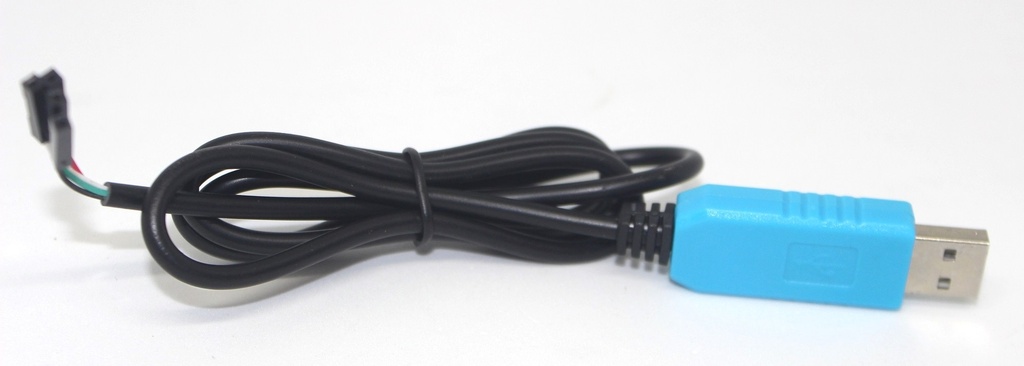
USB to TTL Rs232 cable
The USB to TTL RS232 cable is a versatile adapter used to interface between USB ports on computers and TTL (Transistor-Transistor Logic) or RS232 serial communication devices. This cable is commonly used for debugging, programming, and communication with embedded systems and microcontrollers.
Key Features:
- Converts USB signals to TTL or RS232 serial communication
- Plug-and-play functionality for easy connection
- Supports a range of baud rates and serial communication parameters
- Compact and lightweight design for portability
- Often includes a driver CD or downloadable drivers for installation
- Interface:
- USB Type-A (standard USB connector) to TTL or RS232 serial connector
- Communication Protocol:
- TTL Serial (logic levels: 0V and 5V or 3.3V, depending on the module)
- RS232 Serial (standard signal levels: ±12V)
- Data Transfer Rate:
- Supports various baud rates (typically from 300 bps to 115200 bps)
- Driver Support:
- Compatible with major operating systems (Windows, macOS, Linux)
- Drivers may be required for full functionality (usually provided with the cable or downloadable from the manufacturer’s website)
- Operating Voltage:
- Typically 5V or 3.3V for TTL logic
- Cable Length:
- Usually between 1 to 2 meters (varies by manufacturer)
- Programming and debugging embedded systems and microcontrollers
- Serial communication with legacy RS232 devices
- Connecting microcontroller boards (e.g., Arduino, ESP32) to computers
- Serial data logging and monitoring
- Connect the Cable: Plug the USB connector into the computer’s USB port and the TTL/RS232 connector into the target device.
- Install Drivers: If necessary, install the appropriate drivers for the cable to enable communication (refer to the included driver CD or download from the manufacturer’s website).
- Configure Communication Parameters: Set up the correct baud rate, data bits, parity, and stop bits in the serial communication software or terminal program.
- Establish Communication: Use serial communication software (e.g., PuTTY, Tera Term) to send and receive data between the computer and the connected device.
- Ensure that the cable is compatible with the voltage levels of the TTL or RS232 device.
- Follow proper handling and connection procedures to avoid damage to the cable or connected devices.
- Verify driver compatibility with the operating system to ensure proper functionality.